Woonmodule Suite
Woonmodule Suite: what happens behind your home finder
Buyers fall for the visuals: their apartment lighting up in the building, with price and availability. What happens next, you handle in Suite. Everyone who registers or marks a home as a preference lands in Suite straight away, with the right buyer.

Suite is the CRM for selling new-build homes. Every registration, preference and website visitor of a project in one place. You allocate units, send mailings, have purchase agreements signed digitally and see while sales are running which homes are popular and which channels bring in buyers.
Lead management: from first interest to sale
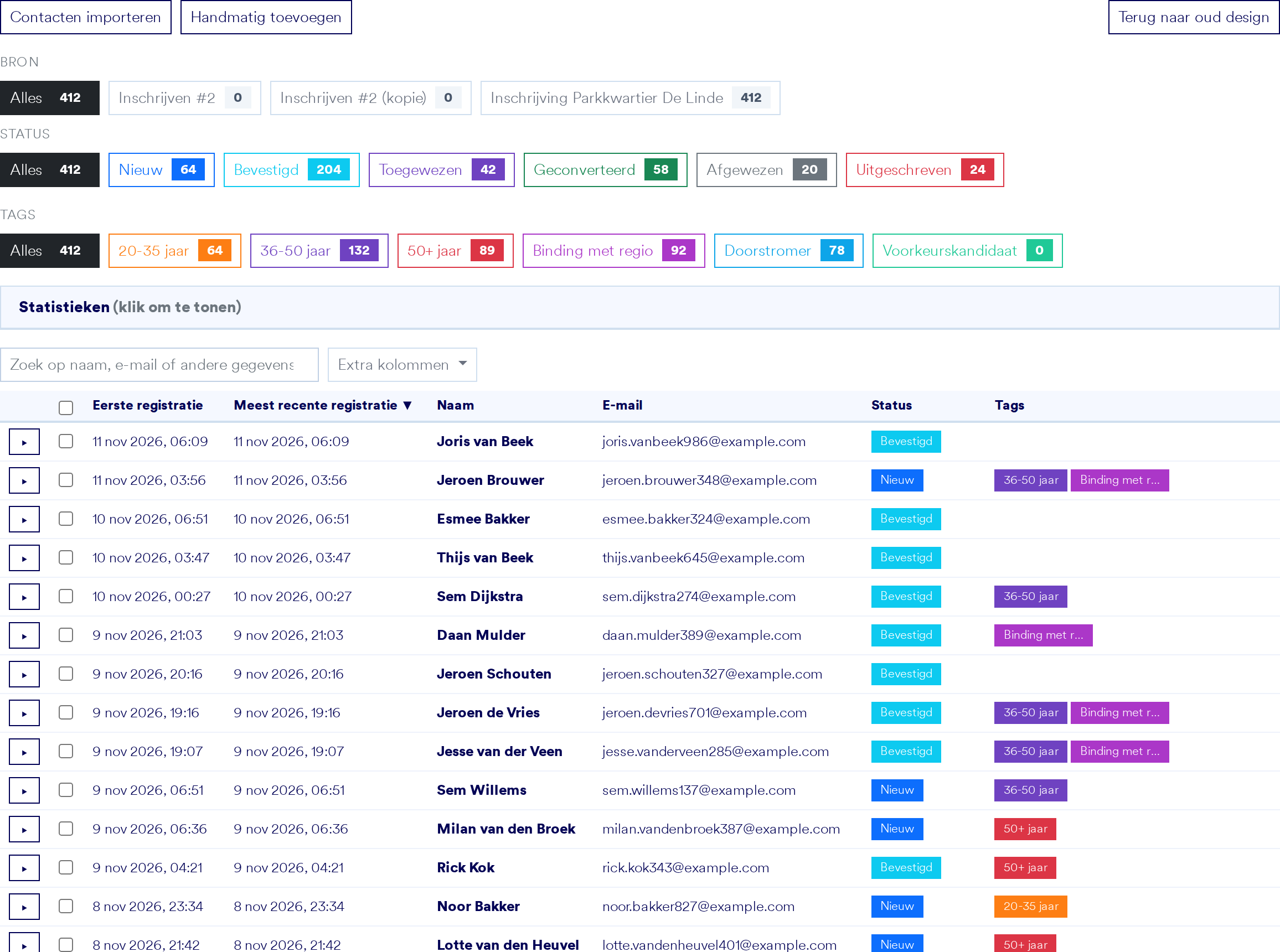
Every registration lands in one overview per project. You see straight away which form someone came from, which stage they are in and which tags they have. Search, filters and bulk actions work on hundreds of leads at once.
- Statuses per project: new, confirmed, allocated, converted
- Tags for target group and priority, such as age or ties to the region
- Import contacts or add them by hand
- A timeline per lead with registrations, notes and documents
Everything about one buyer in one place
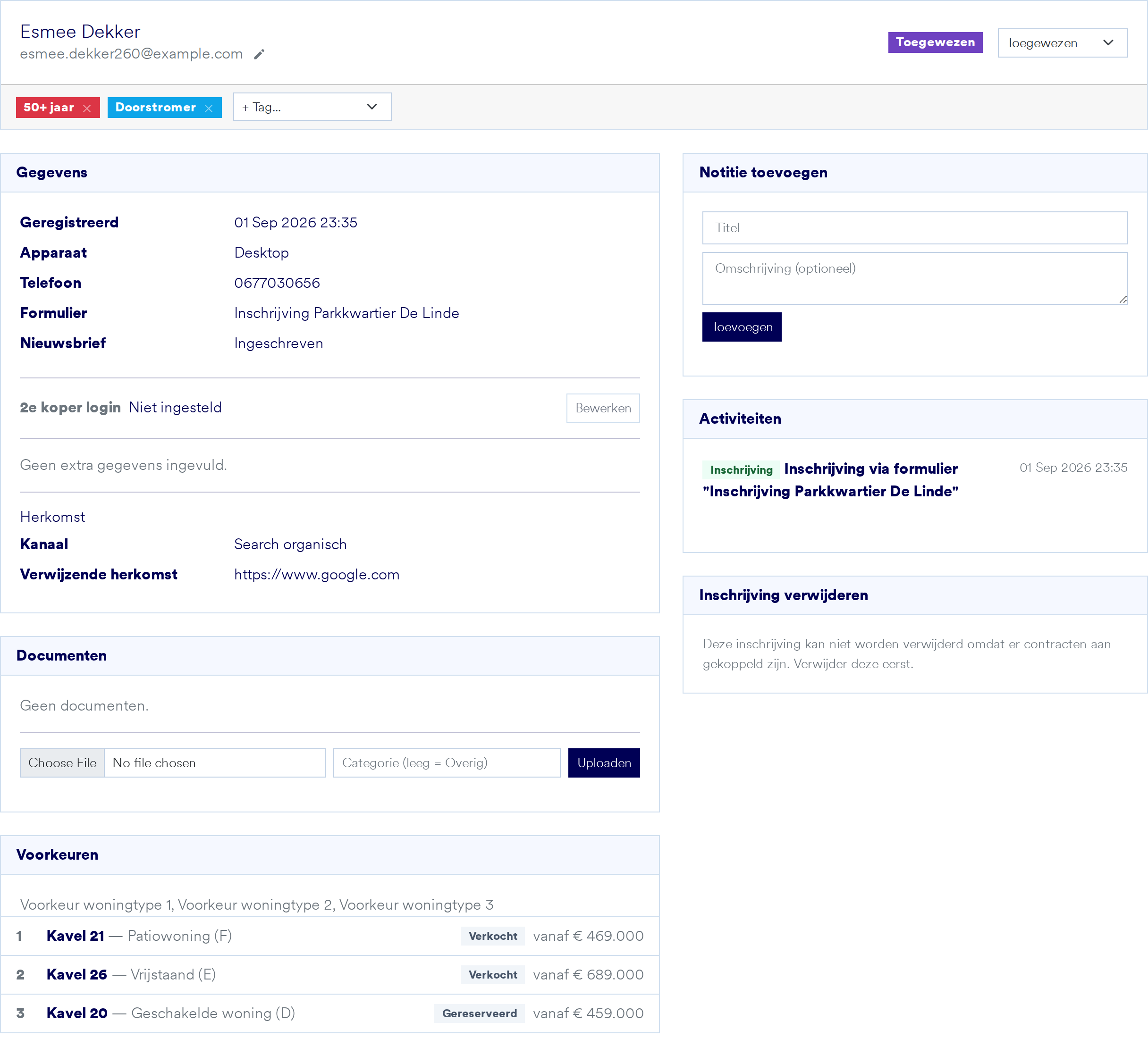
Open a buyer to see their details, preferences, documents, notes and all activity. You also see which channel they came in through, and whether they registered for another of your projects too.
- Assign tags automatically from a form answer, a submitted form or an uploaded document
- Registrations by the same person in other projects at a glance
- View their buyer portal with one click
Every configuration with the right buyer
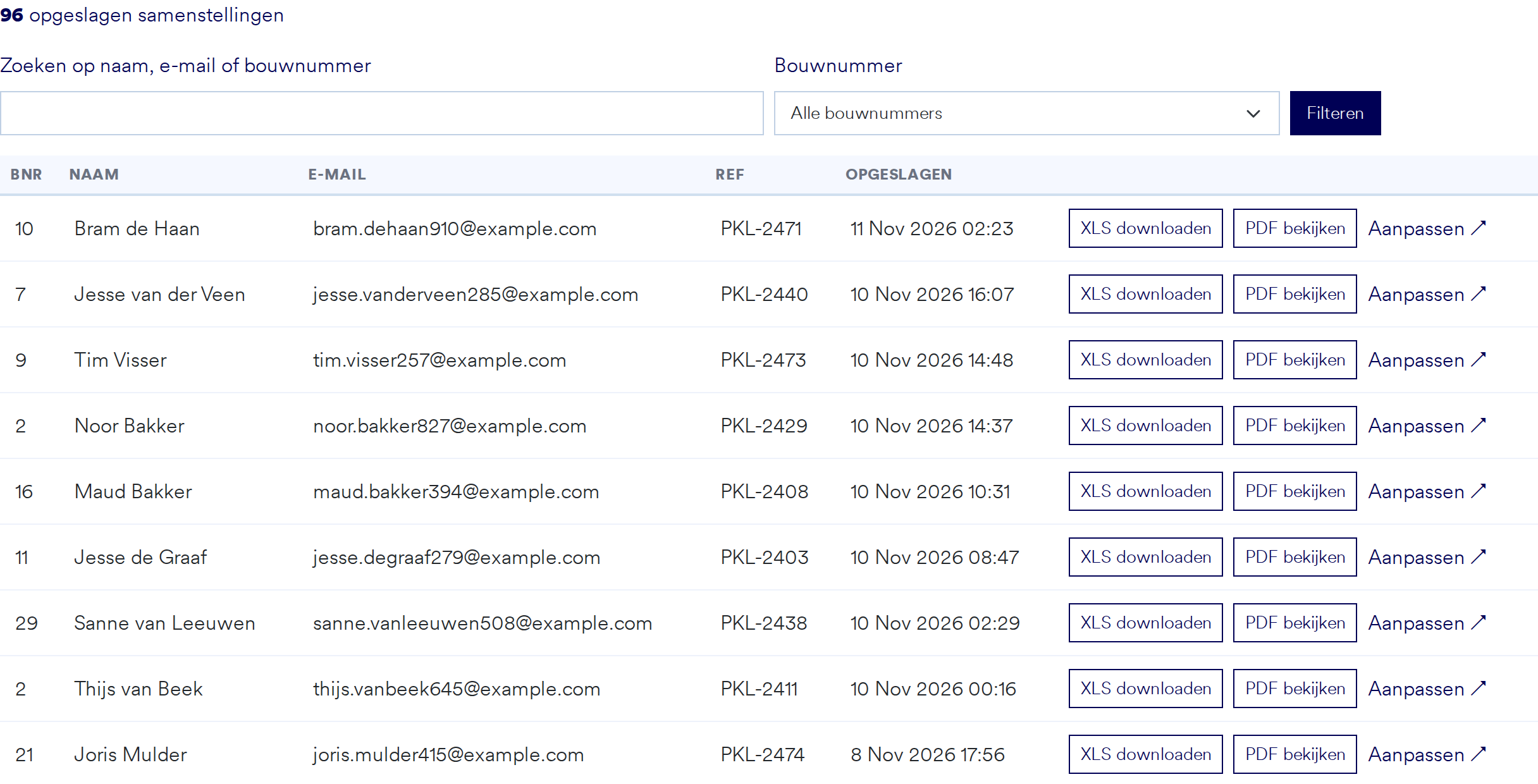
When a buyer puts their home together in the home configurator, that configuration is in Suite within a minute. Search by name, email or plot number, view the PDF or download the choices as Excel for the customer care team.
- Per plot, how many buyers created a configuration
- PDF and Excel for every configuration
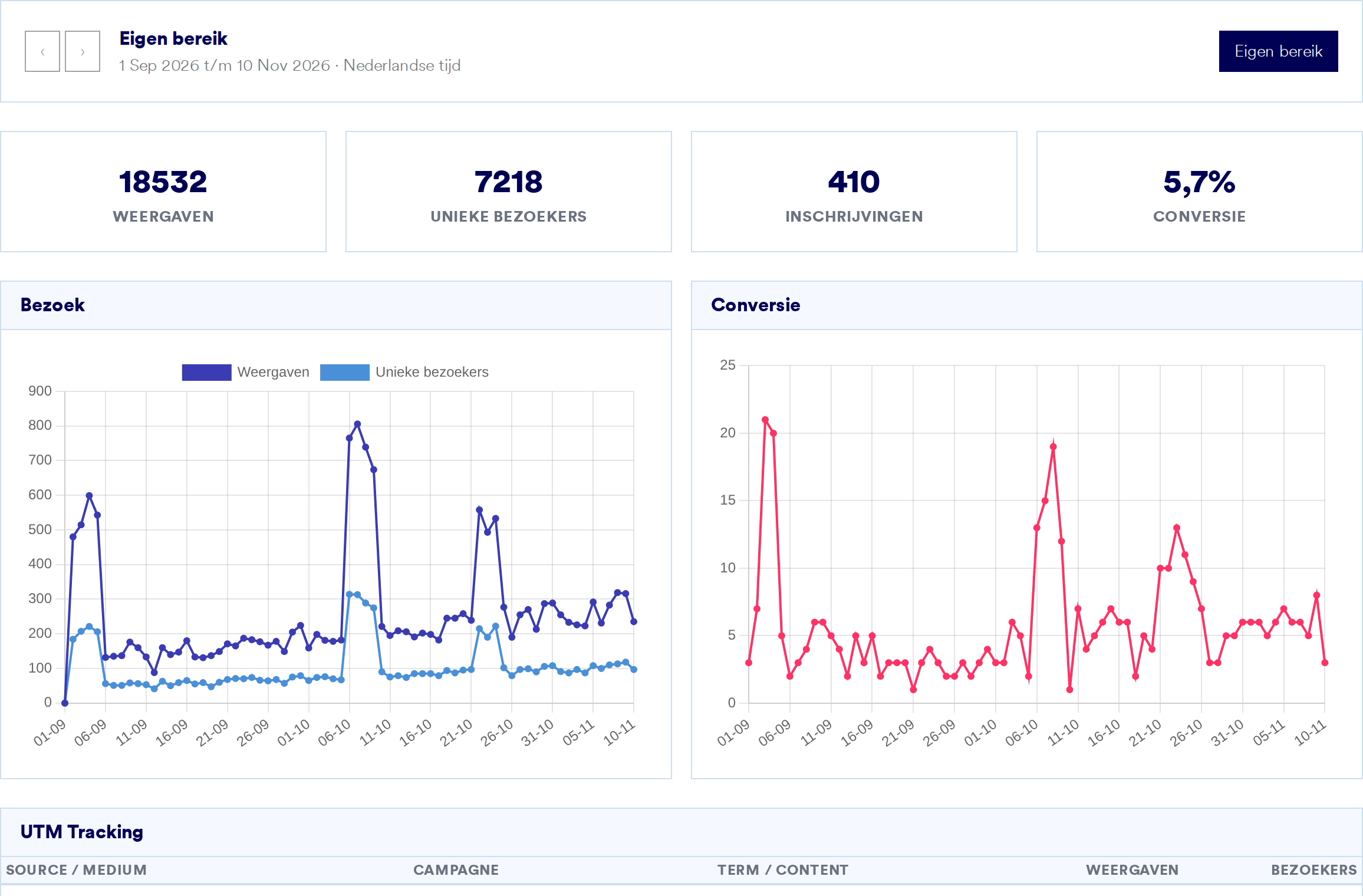
Sales dashboard: insight into your sales, at any moment
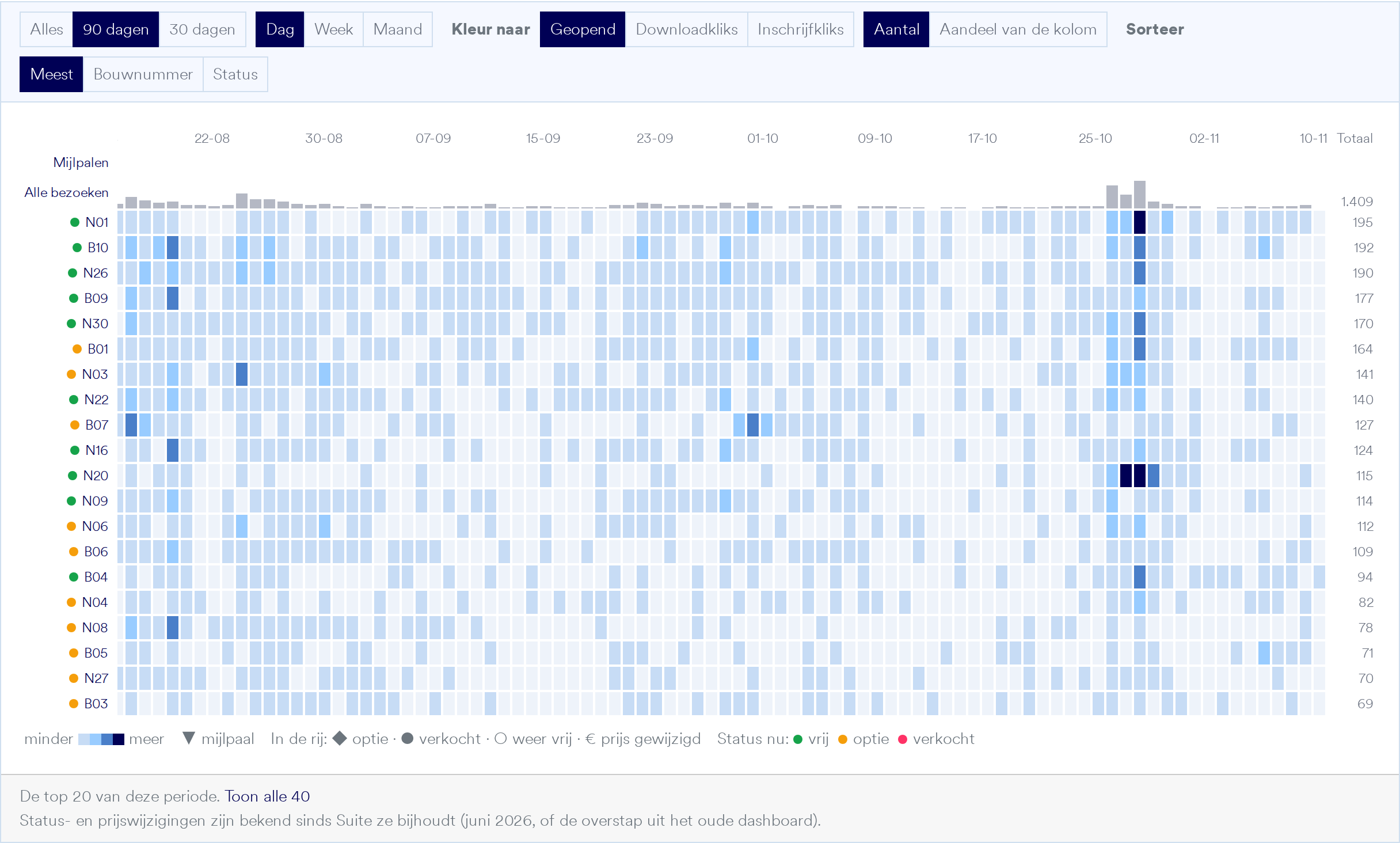
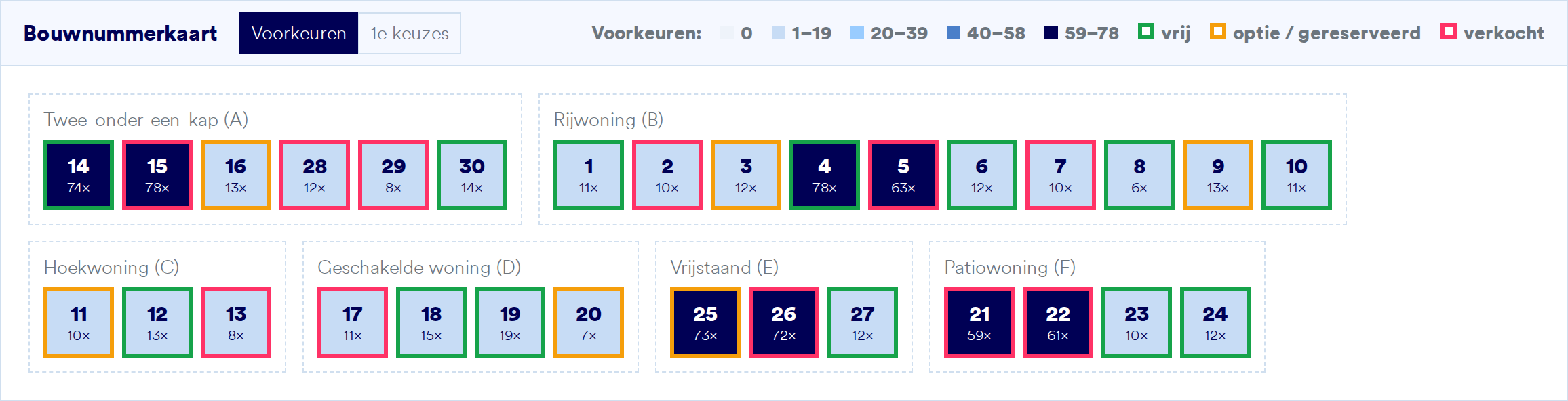
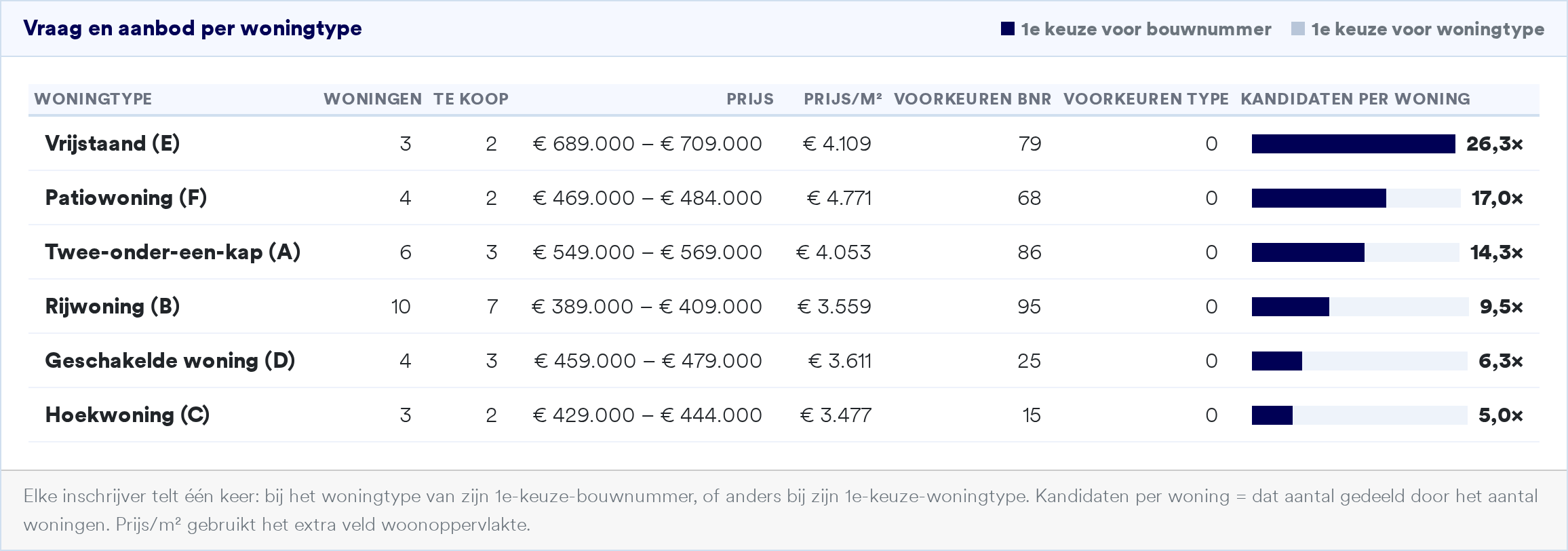
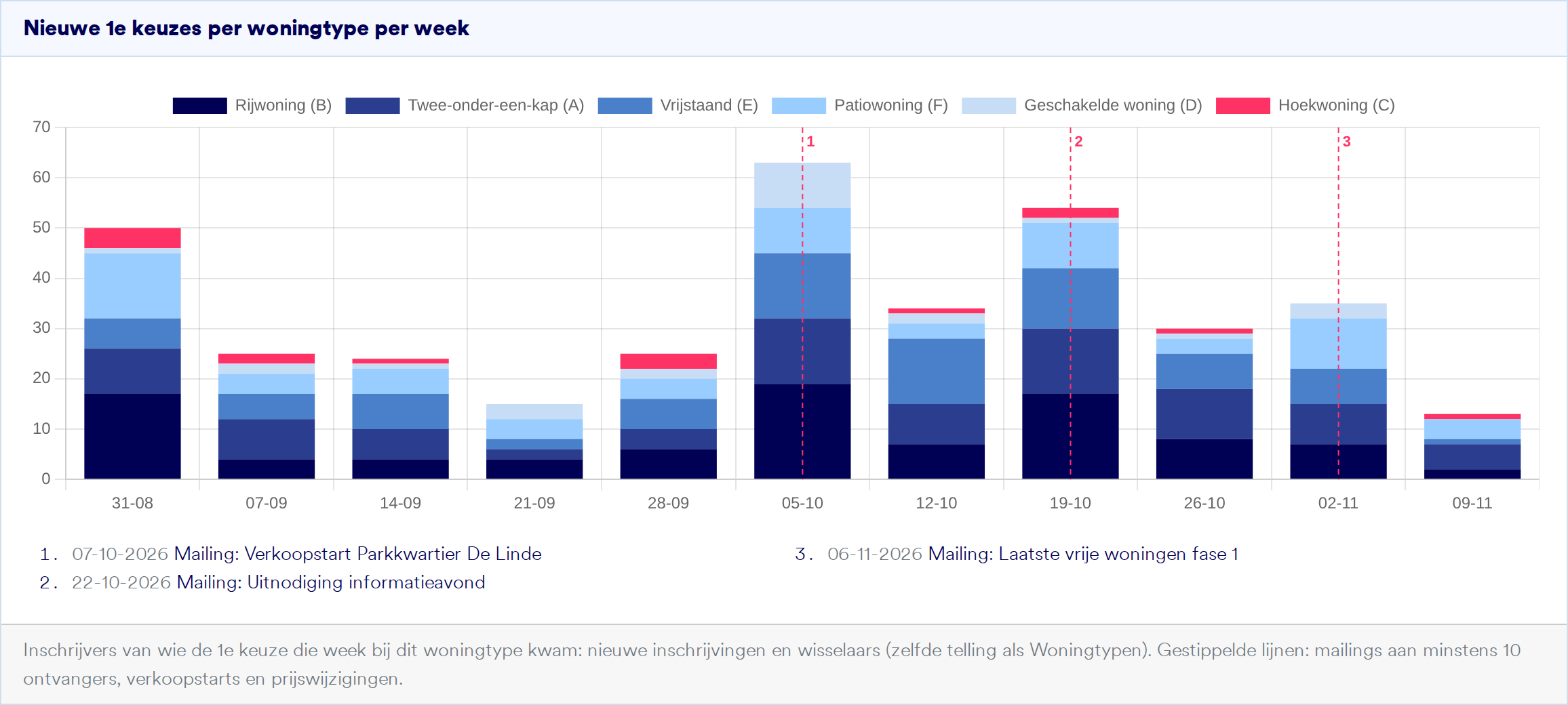
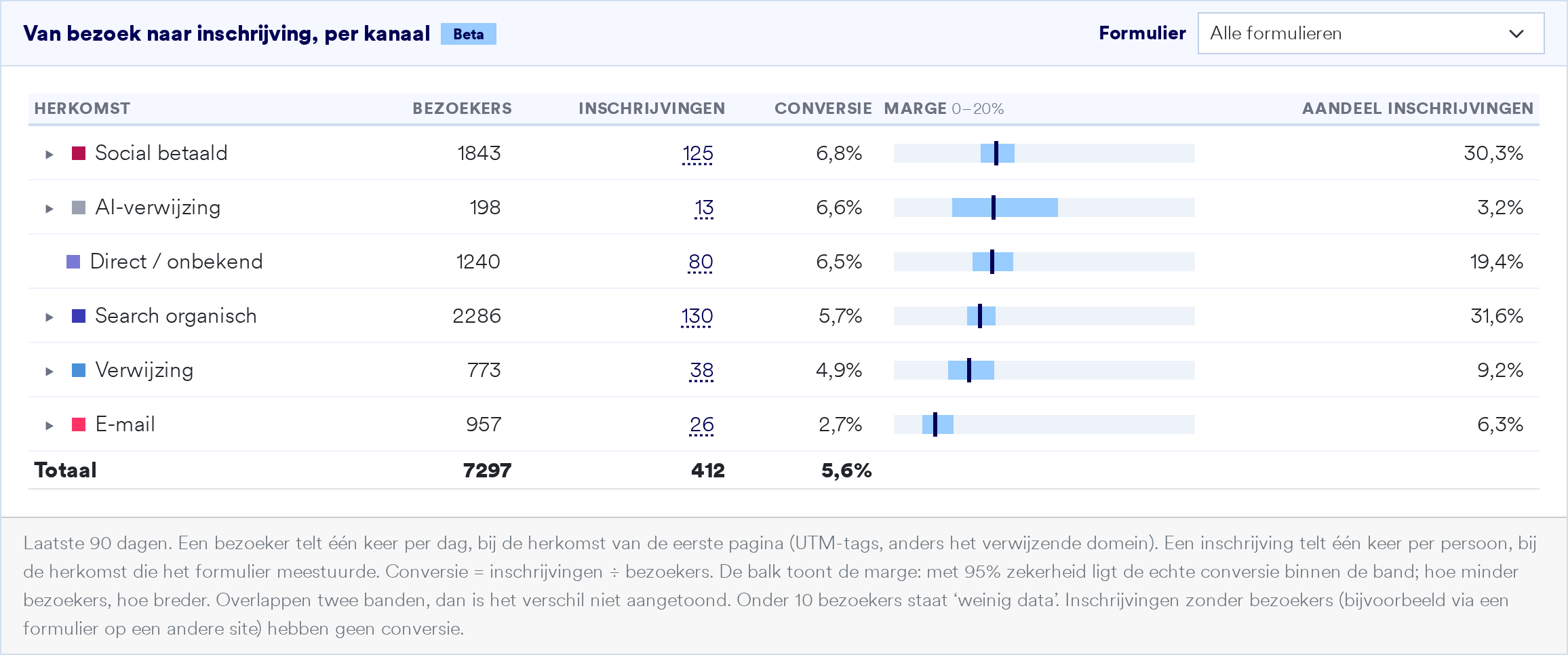
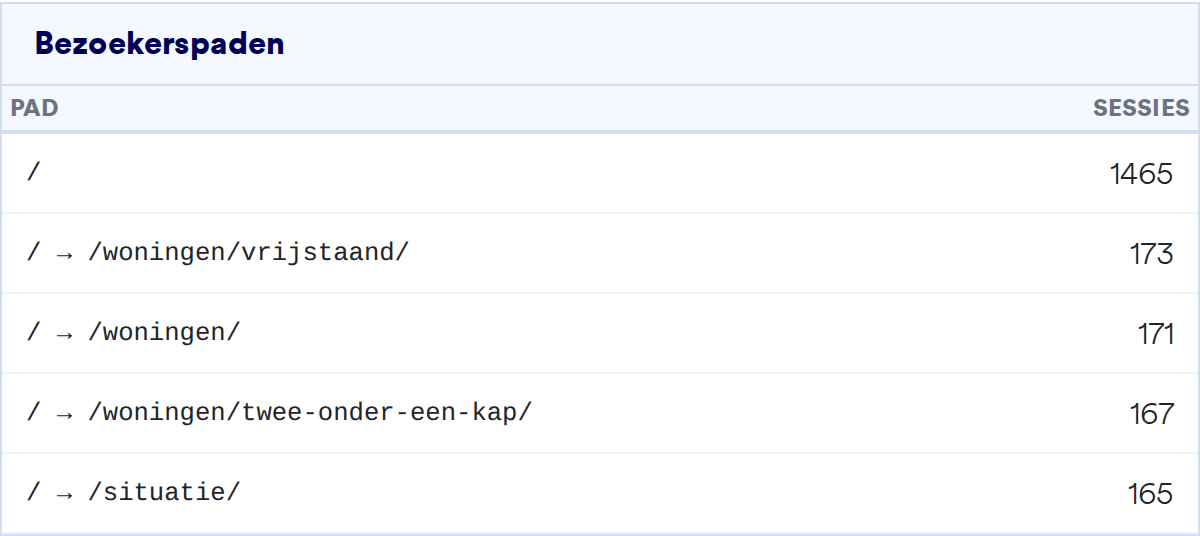
Suite shows what is happening in your project while sales are running, not afterwards. Which homes attract the most interest, where demand outstrips supply, what your last mailing achieved and where your buyers come from? All per project, with figures from your own website, home finder, configurator and registrations.
- Know which homes and house types are most popular, and which lag behind
- See the effect of a sales launch, a price change or a mailing
- Find out which channels bring in buyers, from Google and social media to ChatGPT
- Adjust pricing, phasing and marketing while there is still time to adjust

The mailing tool: great-looking emails to your buyers, no designer needed
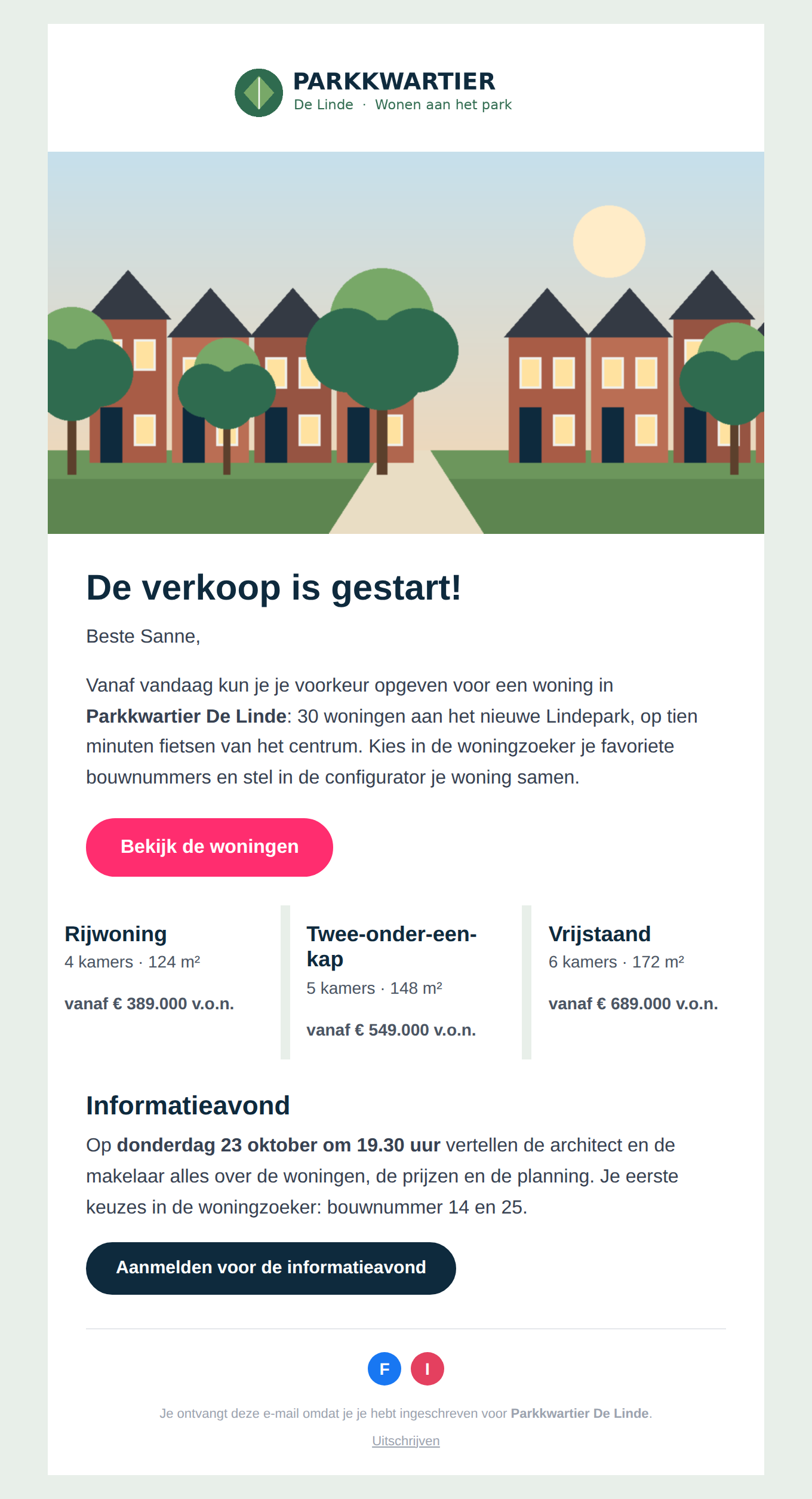
With the mailing tool in Suite you create a newsletter in your project’s style in a few minutes, send it to exactly the right registrants and then see what it achieved.
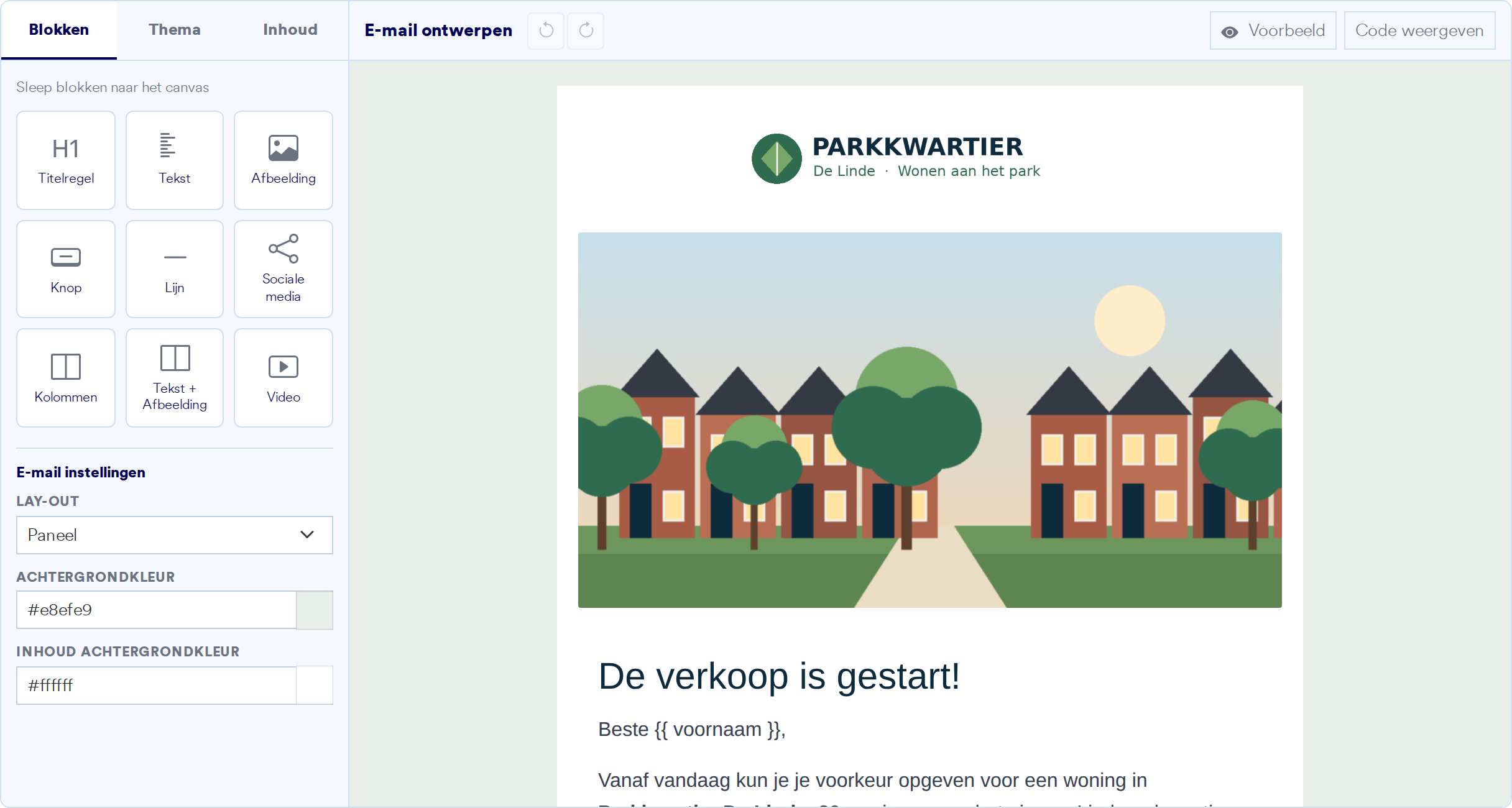
Design with blocks
Drag headings, text, images, buttons, columns, video and social media links onto the canvas and set colours and fonts to your project’s brand. The email works on phone and desktop.
- Personalised with variables, such as the buyer’s first name and home preferences
- Preview it and send a test email to yourself
- Links get UTM tags automatically, so analytics shows what the email achieved
- An unsubscribe link is always included
Exactly the right recipients
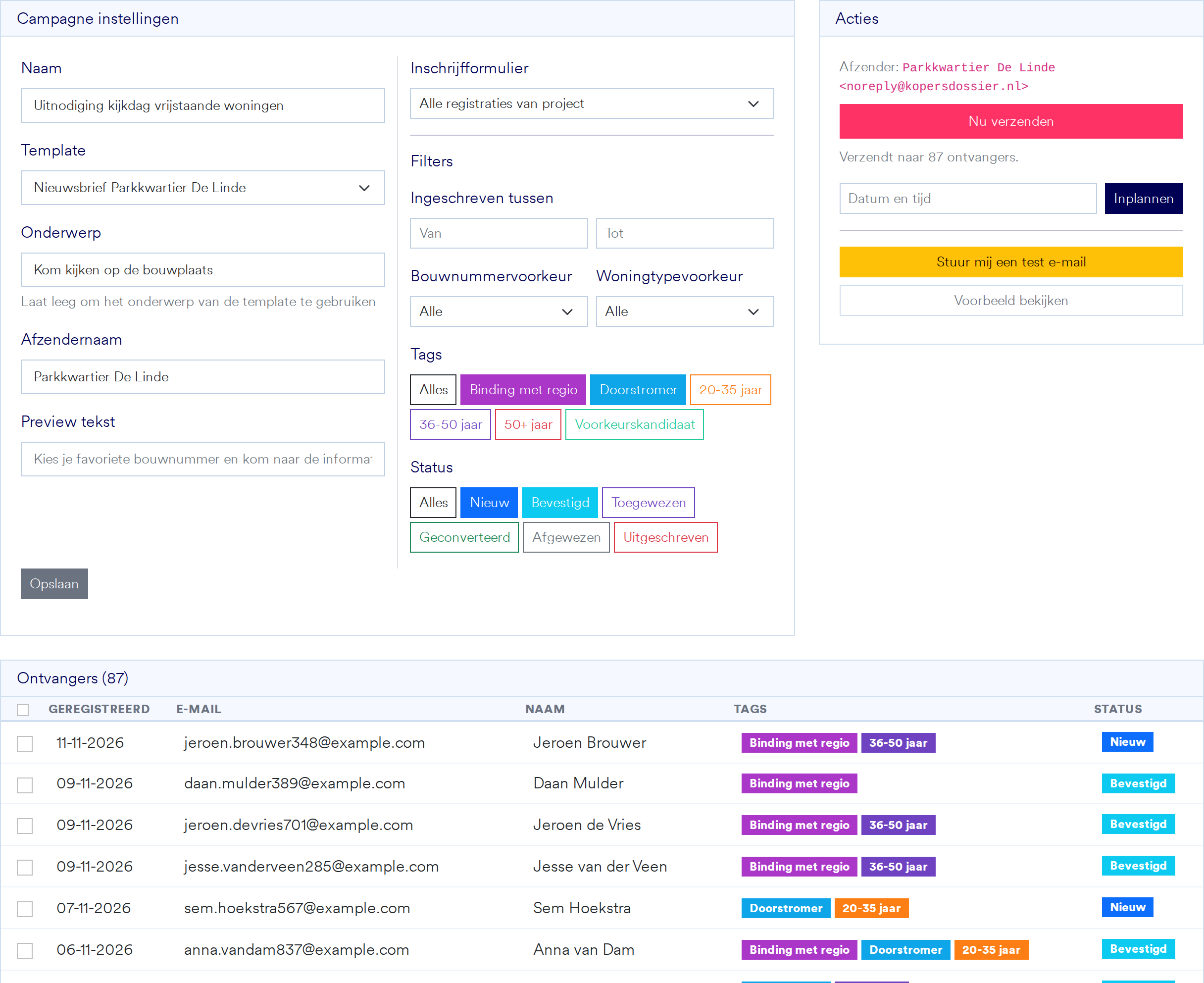
Send the open-day invitation only to new and confirmed registrants with ties to the region, or the email about the last detached homes only to people who prefer one. You see straight away who will receive it.
- Filter by status, tags, registration form and registration date
- Or by preference for a plot or house type
- Send now or schedule it
See what every mailing does
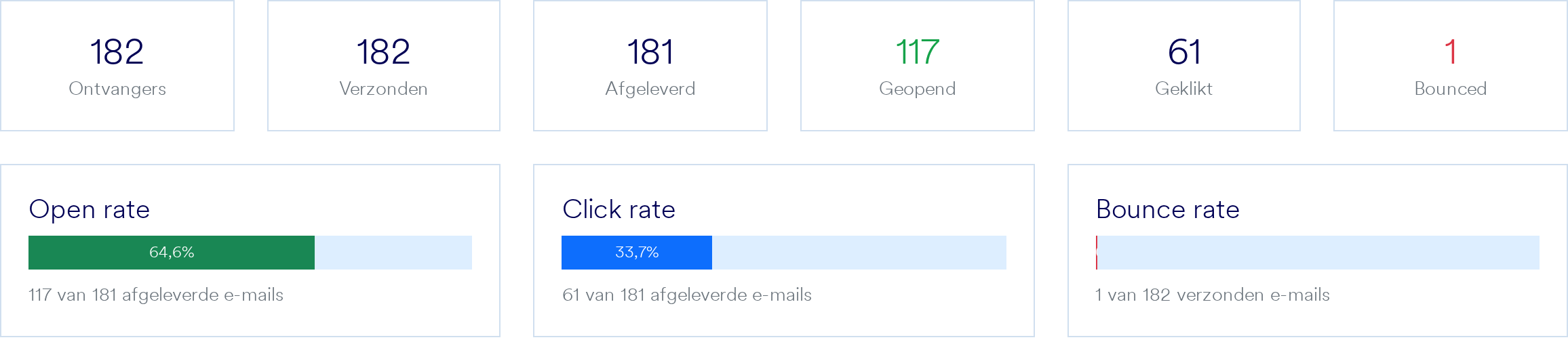
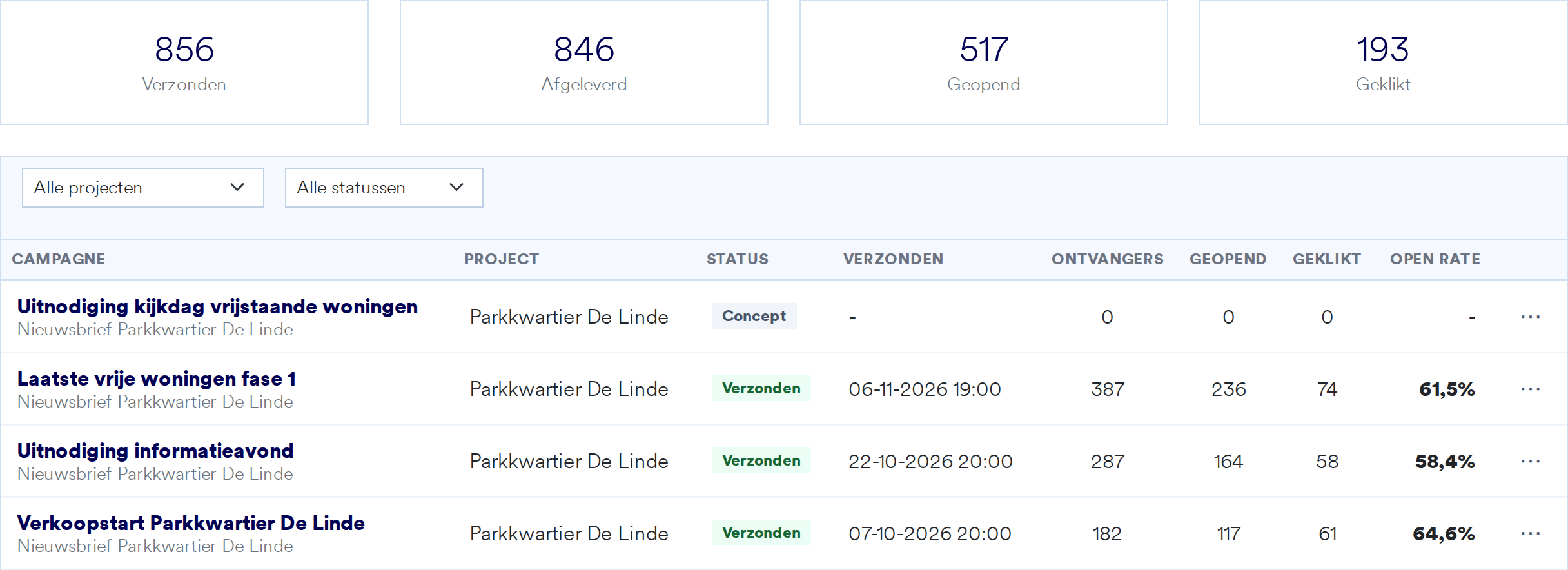
For each mailing you see how many people received, opened and clicked it, and the status per recipient. The overview lets you compare all your mailings per project.
- Open rate, click rate and bounces
- All mailings of all projects in one list
- Send from your project’s own domain
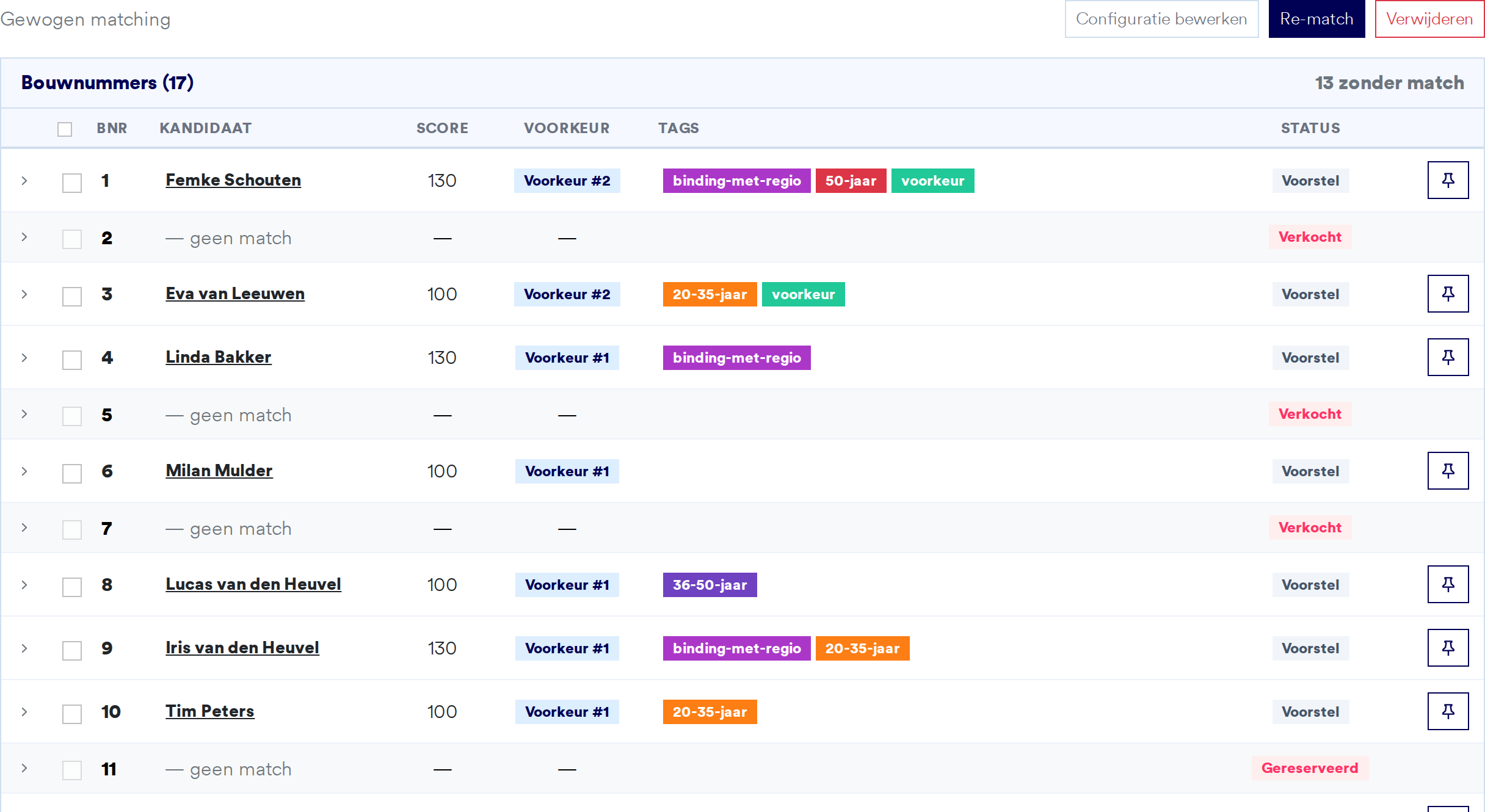
Allocate plots in minutes instead of days
After the registration period, Suite makes a proposal: the best candidate for each plot, based on preferences and the priority rules you set, for example for people with ties to the region. Or you choose a lottery. You see each candidate’s score and the reason for it, and lock in what you want to keep.
- By preference, preference with priority via tags, or lottery
- Score and explanation per plot, with alternatives
- Someone drops out? Withdraw and pick the next candidate
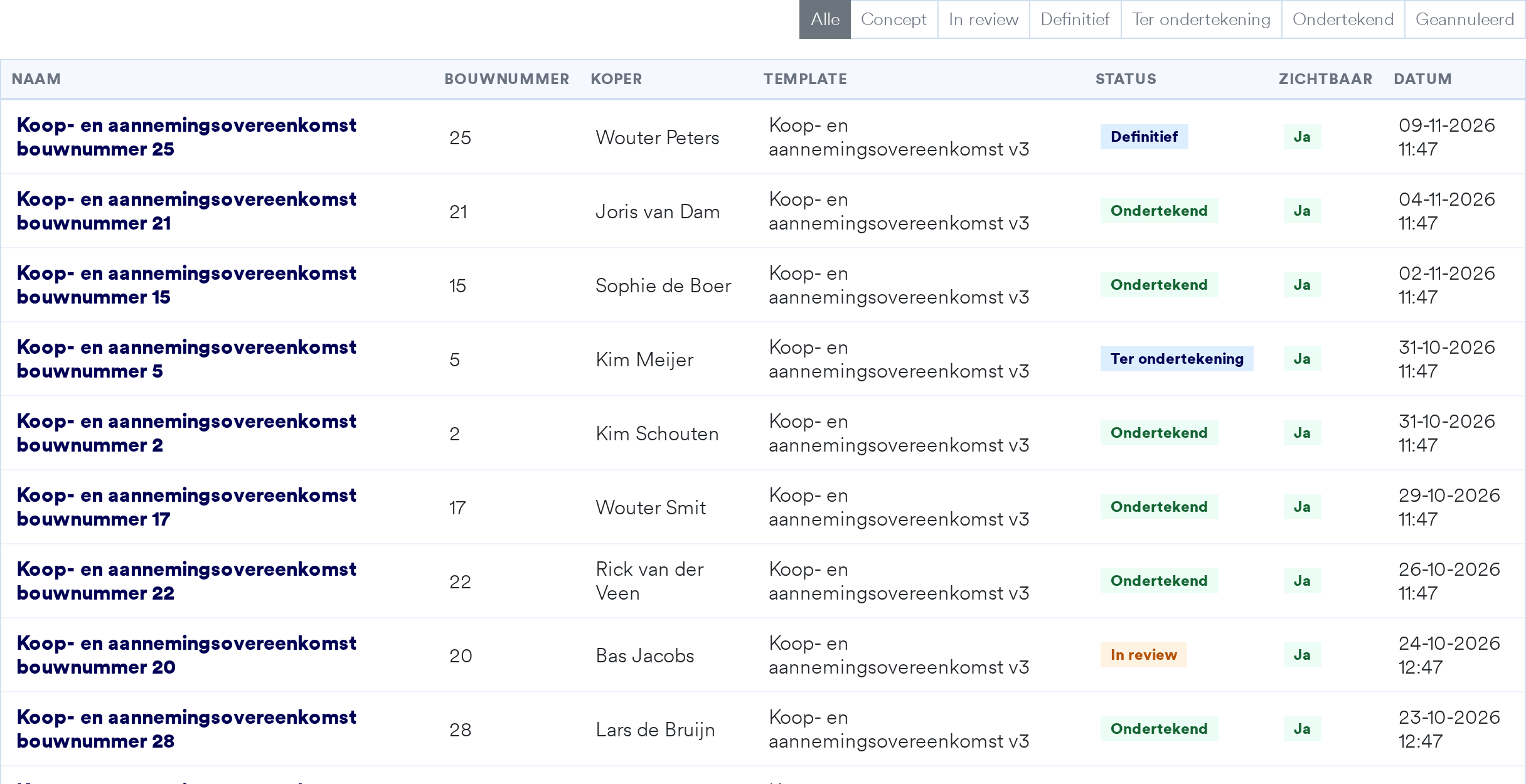
Contracts without copy and paste
Upload your own Word template. For each buyer and plot, Suite fills in the details, purchase price and payment instalments, also for a second buyer, and removes text that does not apply. You then follow every contract from draft to signed.
- Smart fields for a second buyer and the instalment table
- Versions, attachments and a clear status per contract
- Digital signing via Signhost, in the order you choose
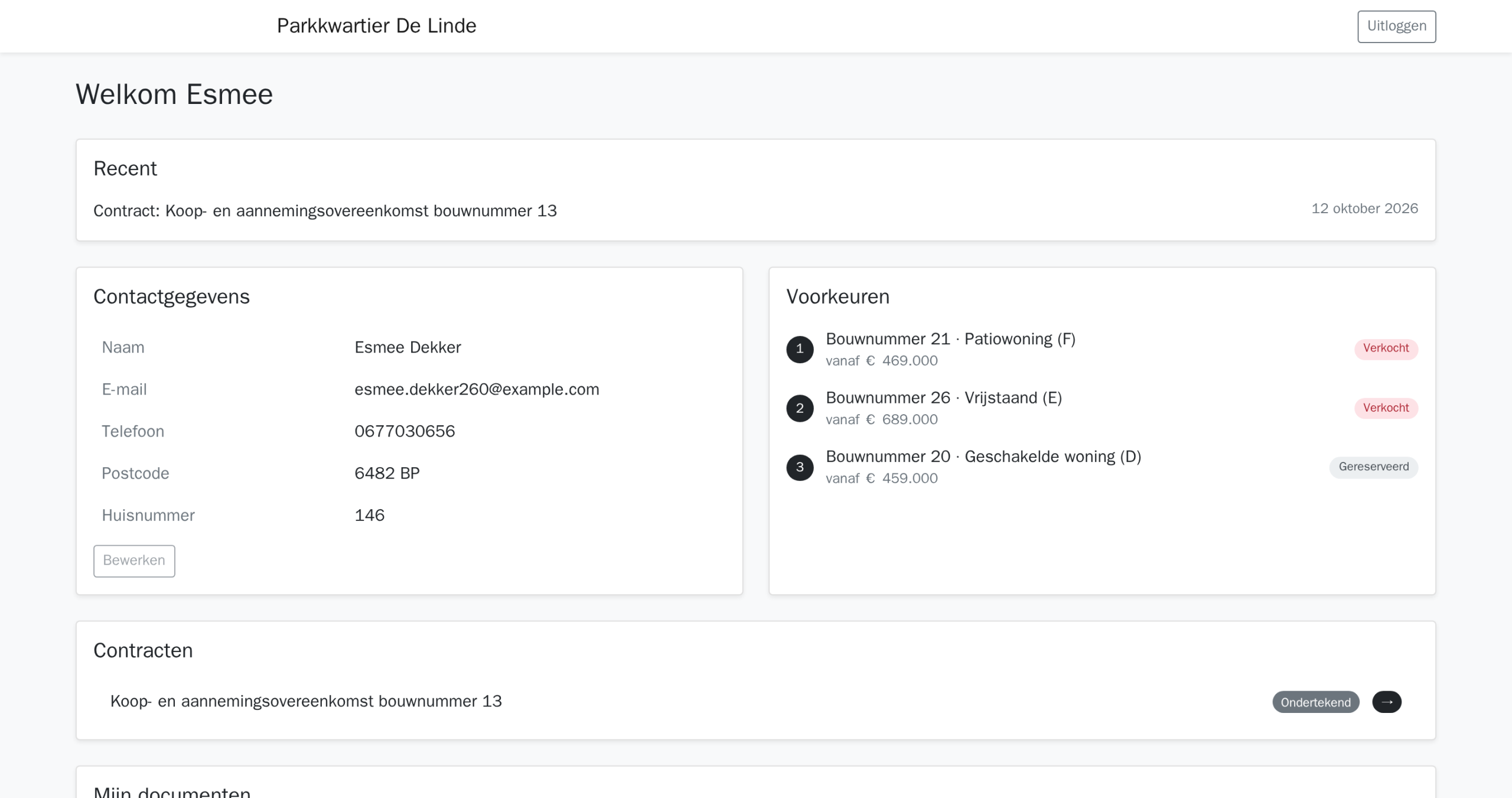
A personal environment for every buyer
In the buyer portal, buyers find their details, preferences, contracts and documents, in the project’s style. A second buyer can log in too. You decide per project which parts are visible, and you can view it exactly as the buyer sees it.
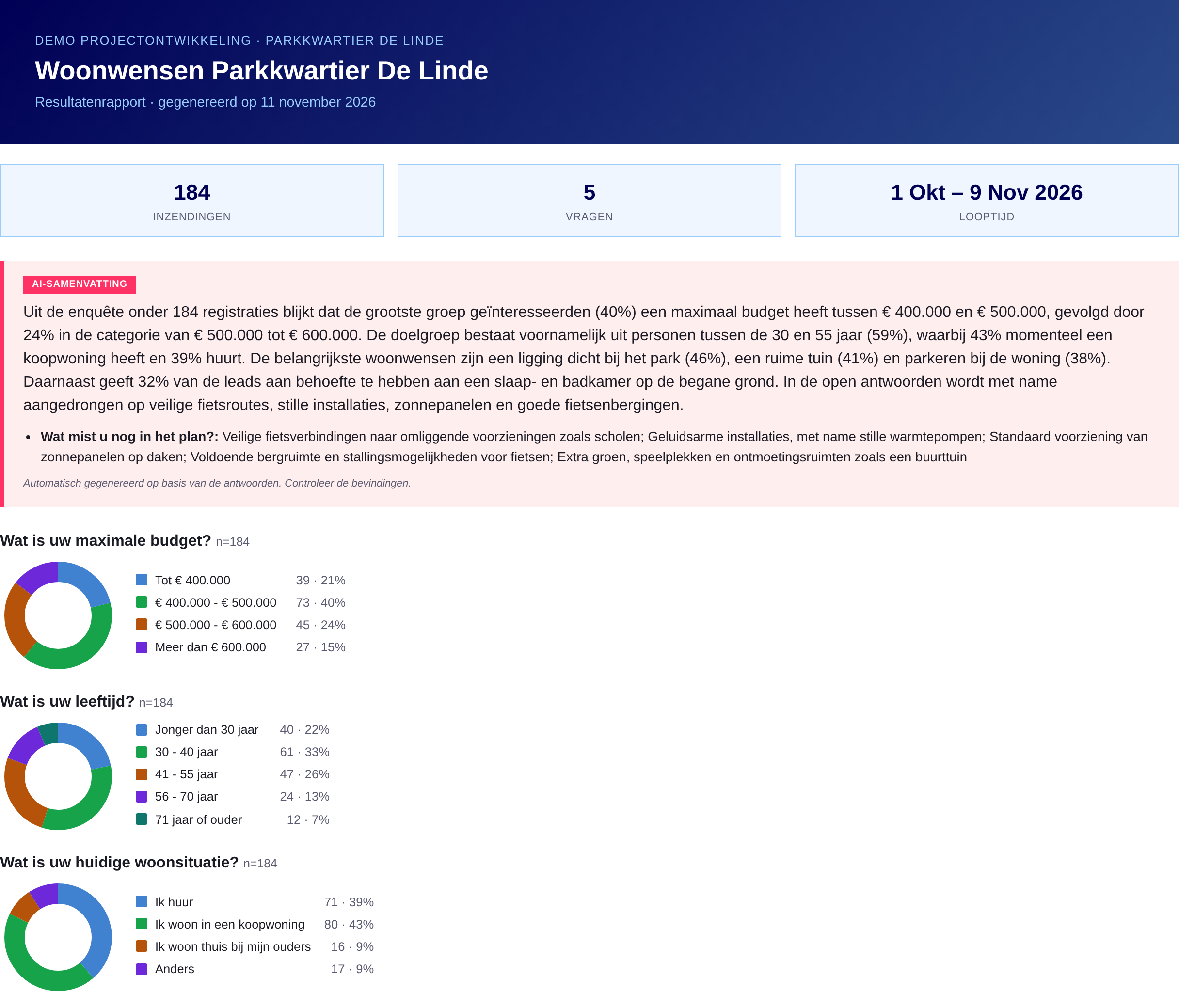
Ask your target group what they want
Put a survey on your project site for housing preferences, market research or resident participation. You see the results straight away, and Suite turns them into a report with key figures, a chart per question and a short summary of the open answers.
- Several question types and conditional questions
- Report with AI summary, ready to share
- Export the responses
And everything else you need
Registration forms
Build them yourself with drag and drop, in several steps, with conditional fields, file upload and a preference list. Spam is blocked automatically.
Documents and media
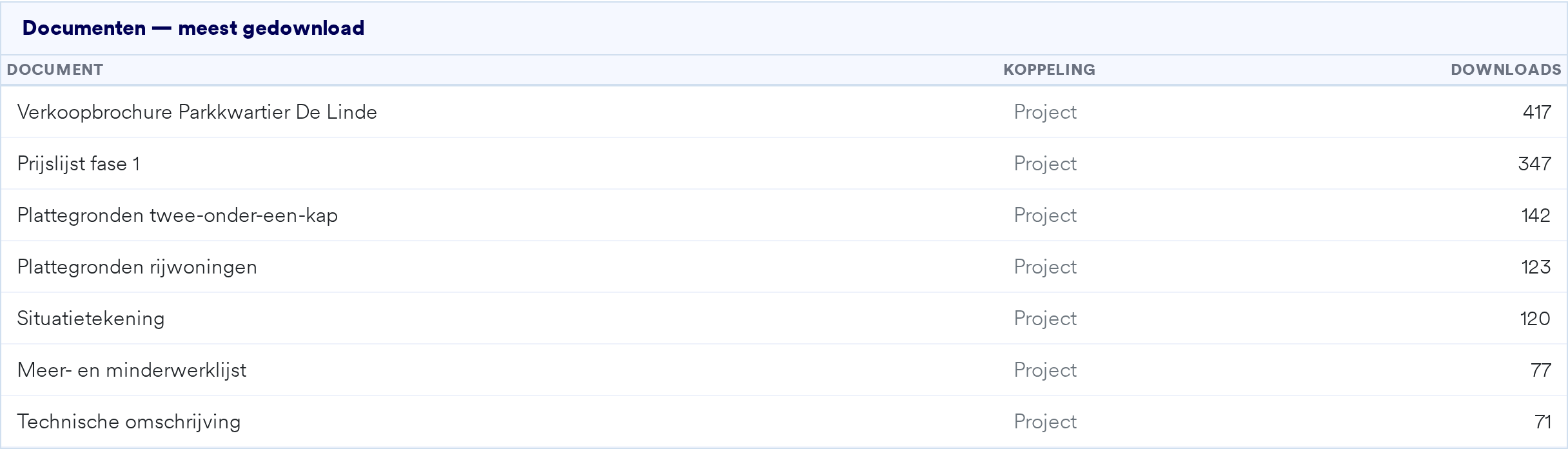
Brochures, price lists and floor plans per project, house type or plot. You decide what buyers see, and see how often each document was downloaded.
Project website and CMS
A website per project that you manage yourself, with version history, password-protected pages and your own domain with SSL.
Sales phases
Release plots to the market in phases, with their own prices, forms and automatic confirmation emails per phase.
Multiple projects
All your projects in one environment, each with its own teams, forms and mailings.
Secure and GDPR compliant
Two-factor authentication
Log in with an extra code from an authenticator app, with recovery codes and trusted browsers.
Roles per project
Administrators, estate agents and content editors only see what belongs to their role and project.
Data processing agreement in Suite
Read and sign the GDPR data processing agreement digitally, right inside Suite.
Data in the EU
All your buyers’ data is stored in the European Union.
Works with the home configurator and home finder
Choices from the home configurator and preferences from the home finder go straight into Suite, with the right buyer. If you also work with other systems, Suite connects with Realworks, NieuwbouwOffice, Hartje Wonen, HOOMCTRL, HubSpot and Salesforce, among others. All integrations (in Dutch).
Frequently asked questions
What is Woonmodule Suite?
Woonmodule’s CRM for selling new-build homes: registrations, lead management, insights, analytics, mailings, plot allocation, digital purchase agreements and a buyer portal in one platform, per project.
What insights does Suite give during sales?
Which homes and house types are popular, how interest develops, what your mailings and sales moments achieve, which channels bring in buyers and how your project website performs.
Can I see what my ads achieve?
Yes. Visitors and registrations from Meta ads, Google and other channels are shown in Suite per channel, source and campaign.
Can I move my existing leads over?
Yes, you import existing contacts into Suite, or you connect Suite to your current CRM.
Does Suite work without the configurator or home finder?
Yes. Suite works on its own, and the configurator and home finder also work with other CRMs. Together you get the most out of them, because all choices and preferences are then stored with the buyer.